To track lead source in your CRM, add four simple fields to every lead. The CRM only shows the total number of leads that came in. It doesn't show which ones converted into customers. Four simple fields fix your lead source tracking. In this blog, we'll cover everything about CRM leads: what to add, how to fill them without typing, and what to check each month.
Does Your CRM Know Where Your Customers Come From?
Take a 10-minute test: open last month's leads. Now, count the number of blank lead sources in your CRM: "Other" or "Website".
That number is the size of your problem. Those leads cannot be traced back to a channel.
Now, here is the main problem. You may be paying for a channel that sends many enquiries but no customers. Another channel may send fewer enquiries but better buyers, with no budget. Without lead tracking in your CRM, you cannot see the difference.
Why Does Lead Source Data Go Wrong?
Lead source goes wrong for these three reasons.
First, many people type it. A rep fills in the field in a hurry, so it carries multiple errors. The call or messages from a personal mobile never get logged.
Second issue: one channel gets many names. LinkedIn, Linkedin, and LI all indicate the same platform; the report counts them as three sources.
Third, one field holds two facts. How a buyer first learned about you and what brought them back to talk aren't the same thing. When both sit in one field, the second answer wipes out the first.
Without a strong lead tracking system, even an expensive CRM fails in B2B companies. Check the complete post.
Which Four Fields Do You Need for Lead Source Tracking?
Here are the four fields; make each one a drop-down list.
- Source: the channel that brought the lead, such as Google search, paid social, referral, or telecalling.
- Campaign: the specific push, such as a Diwali offer. Keep it separate from source, because source tells you where the lead came from and campaign tells you which offer worked.
- First source: how the buyer first found you. This one never changes once the lead is created.
- Reported source: what the buyer says when you ask how they heard about you. It may differ from what your tools show. A click may say Google, while the buyer says a friend told them. Both facts are useful.
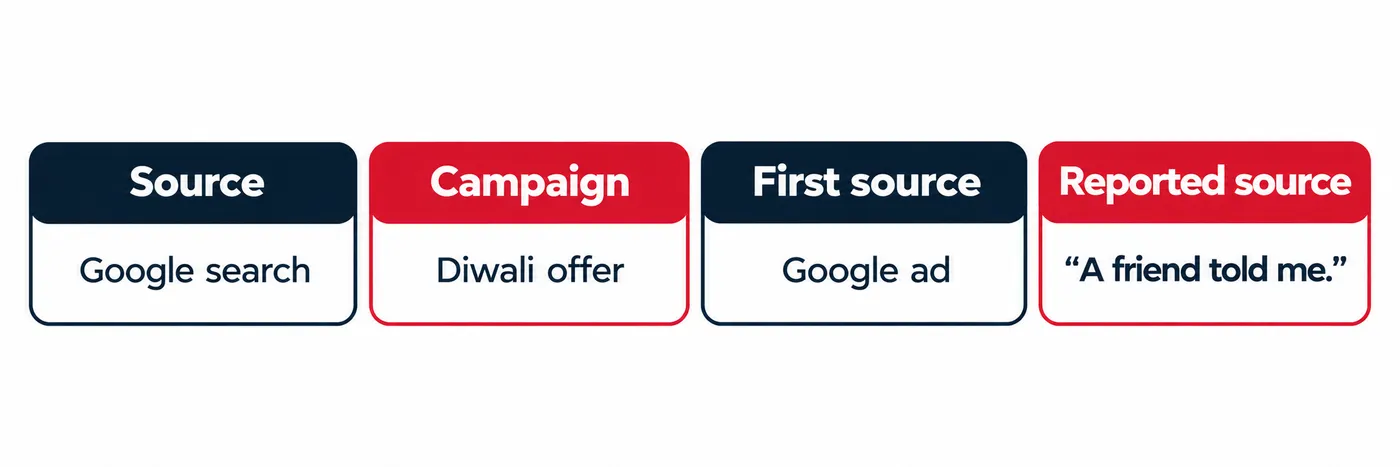
Together, these fields show where each lead came from and which offer pulled it in. That is the base of lead source analysis.
How Do You Capture Leads Without Typing?
The best lead generation tracking is the kind nobody has to type. Use these four steps.
Step 1: Add hidden fields to every form so when someone fills out your contact form, the page passes the source and campaign to your CRM automatically.
Step 2: Give each channel a phone number, add a call to the number on your Google ad and a call to the one on your brochure, then show up as different sources.
Step 3: For walk-ins, referrals, and events, immediately ask how they heard about you and choose the answer from the drop-down while they talk.
Step 4: Lock the first source. If you want to have a second pair of eyes on your lead tracking, a Growth Readiness Review can help you see where leads leak and what to fix first.
What Should You Check Every Month?
Check your lead source tracking once a month by looking at three counts.
- How many leads have a blank source
- How many say "Other"
- Whether anyone added a new source by hand
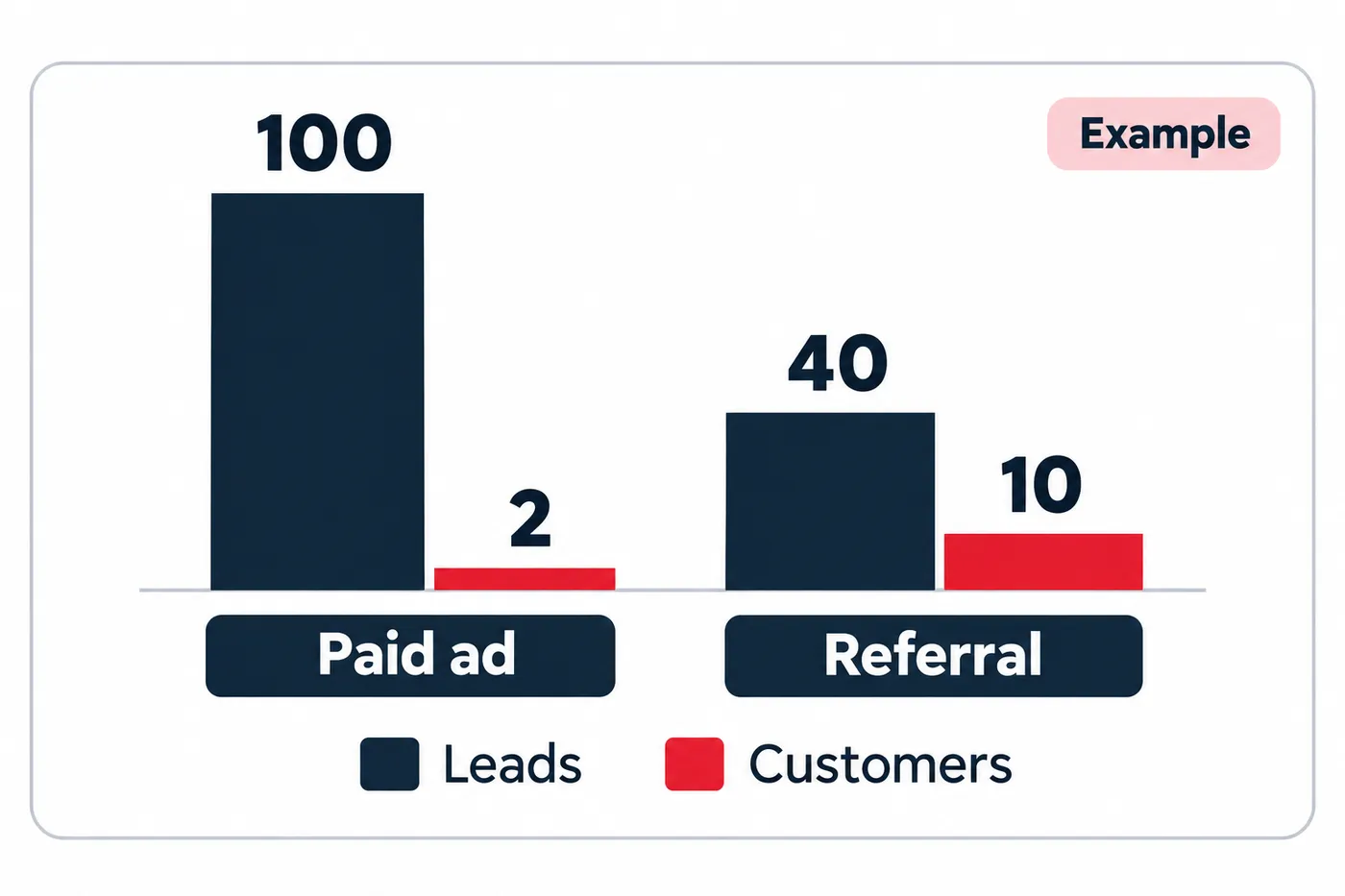
If you are getting the biggest value with Other, the field is not working properly. Here's what most teams skip: look at customers by source, not leads by source. Give it a full quarter of data, because B2B deals take time to close. Let's look at an example. Suppose a paid ad brings 100 leads but only two customers. A referral channel brings 40 leads and ten customers. If you judge just on leads, the ad may win. Judged on customers, referrals win by a wide margin.
Frequently Asked Questions
Filed under
- Lead source tracking
- Lead tracking in CRM
- Lead source analysis